Available on: Enterprise plan (non-agency)Find it in: Settings in the organization name menu at the top left of the screenRequired role: Admin or custom
Categories
The Categories table lists every category with its owned domain, competitors, prompts allocated, regions, and languages. Search the table to find a category, or use the row menu to Open, Duplicate, or Delete it.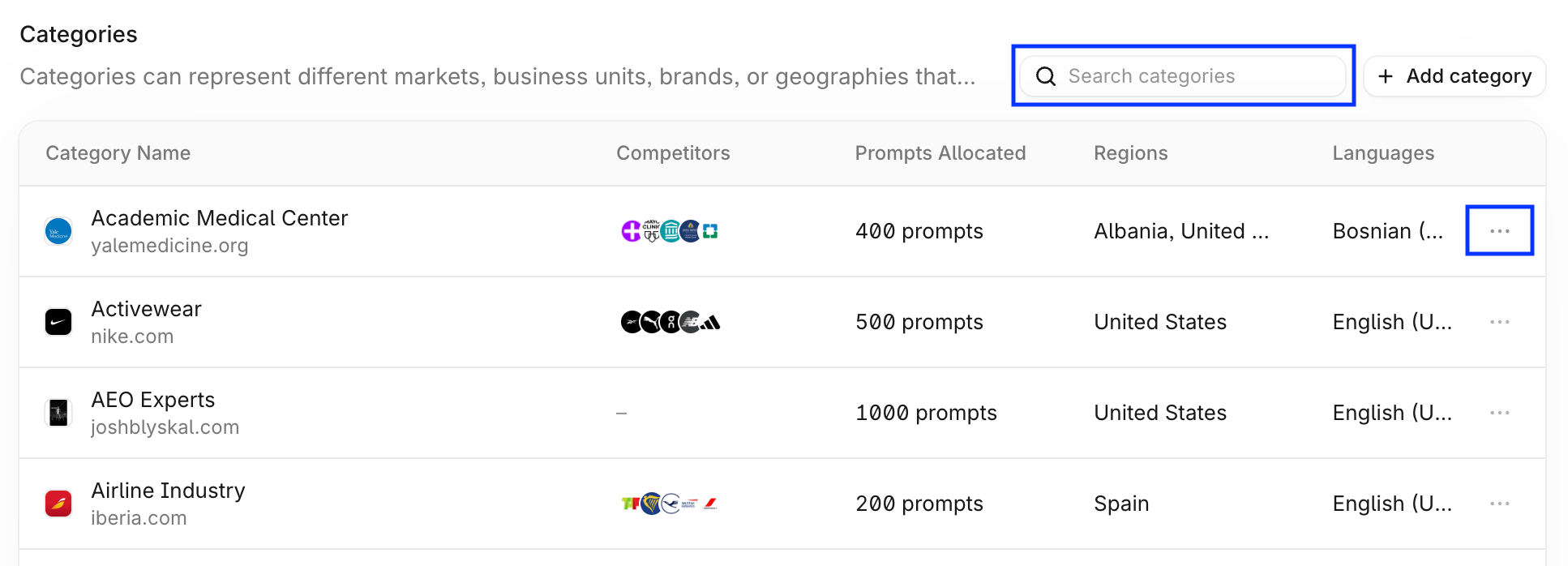
Create a category
Select + Add category and follow the dialog to set up:- Category details: name, prompts to allocate, regions, and languages. Regions and languages come from your organization’s lists.
- Owned assets: your brand or product, with its name and website. Add more than one if needed.
- Competitors: the brands you want to compare against, each with a name and website.
Edit a category
Open a category and select Edit category to change its name, prompts, regions, or languages. To add assets, select + Add asset. To edit an asset, select the edit icon in its table row.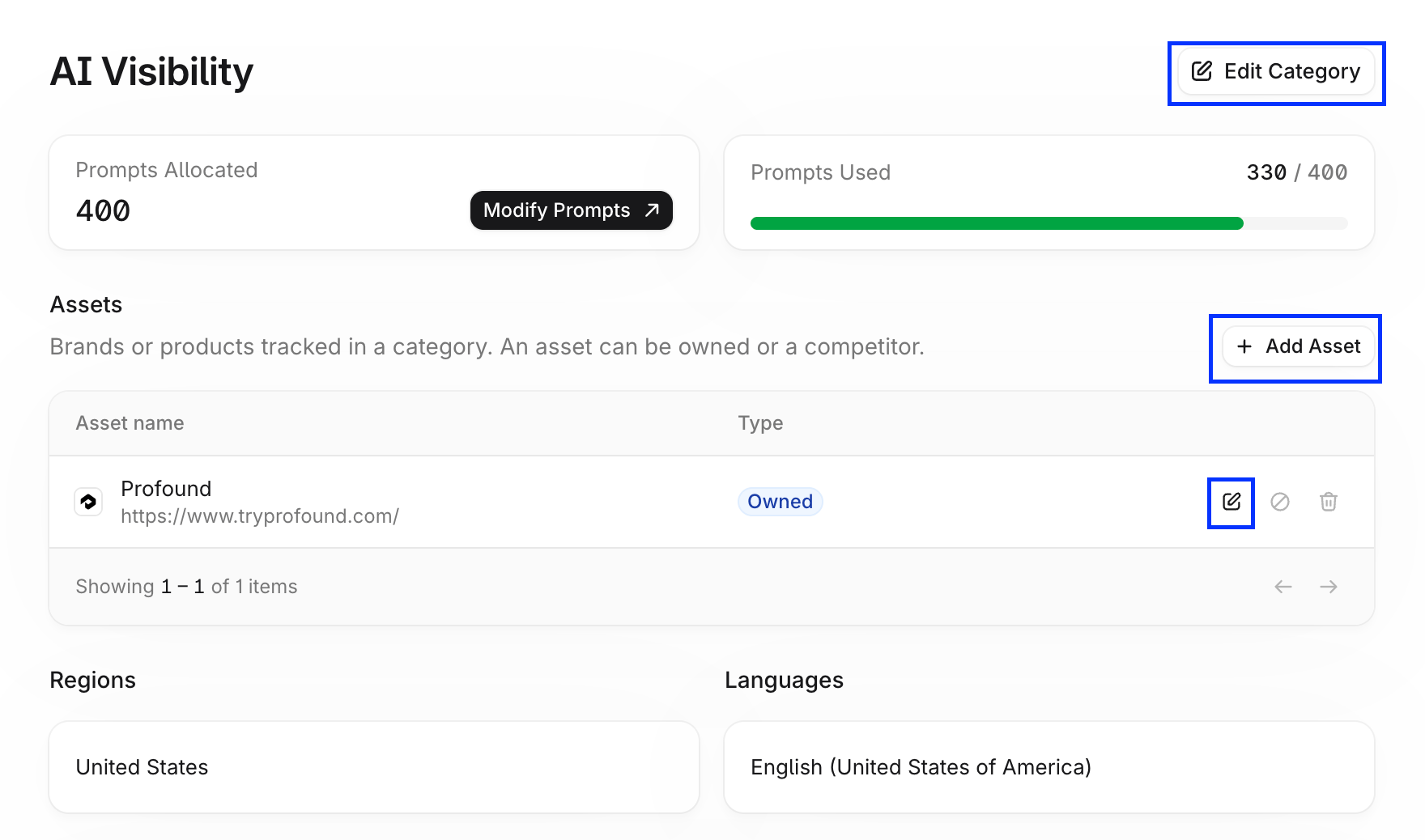
Shared categories
Categories shared with your organization appear in the table as read-only. Only the category owner can edit them.Prompts
Prompts Allocated is the number of prompts a category can use out of your organization’s total. When you create or edit a category, the form shows how many prompts remain to allocate. Moving prompts between categories doesn’t affect your total prompt limits.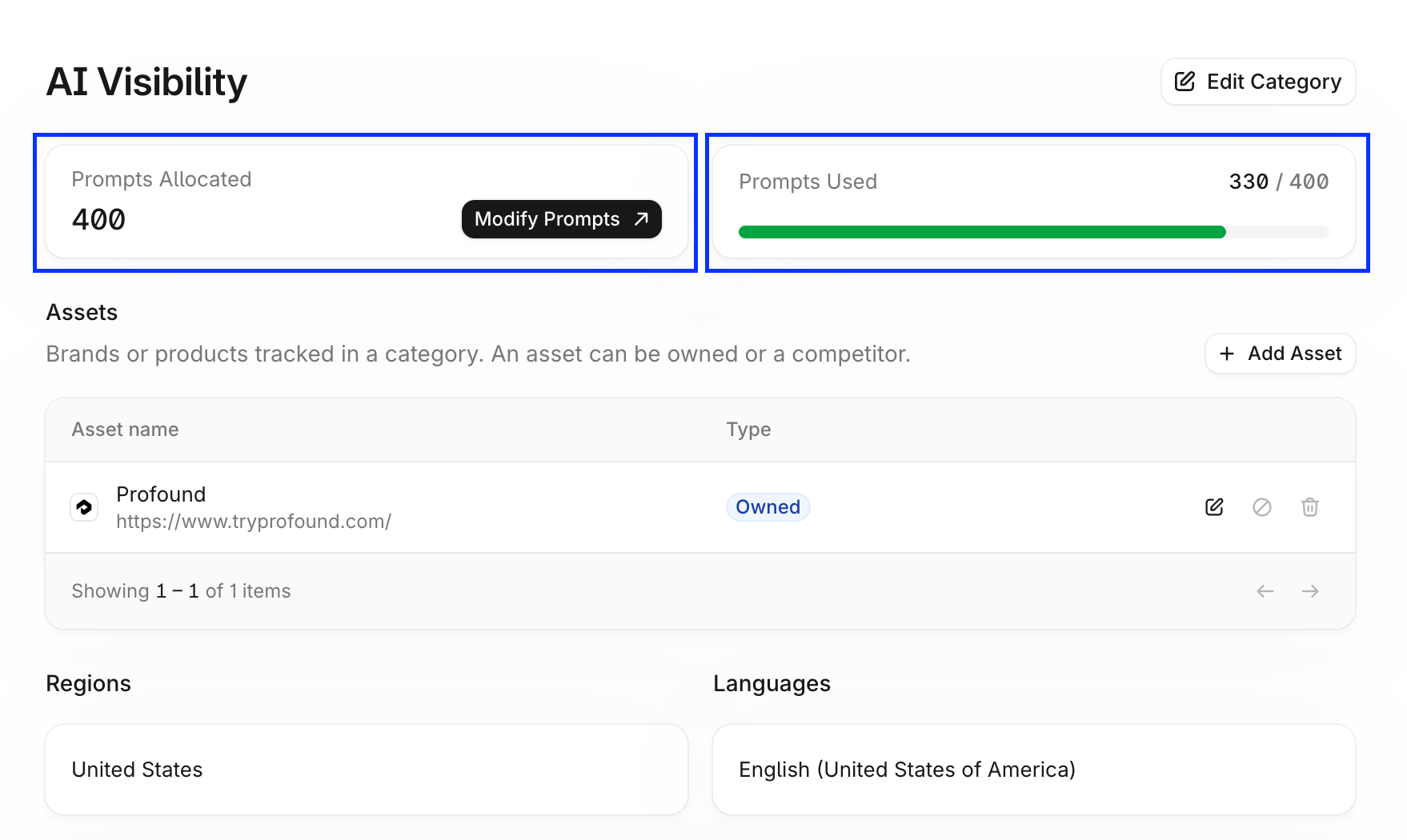
Assets
Assets are the brands or products you track in a category. Each asset is either Owned (your brand or product) or a Competitor. Add and edit assets on the category page. Each category must keep at least one owned asset enabled.Regions and languages
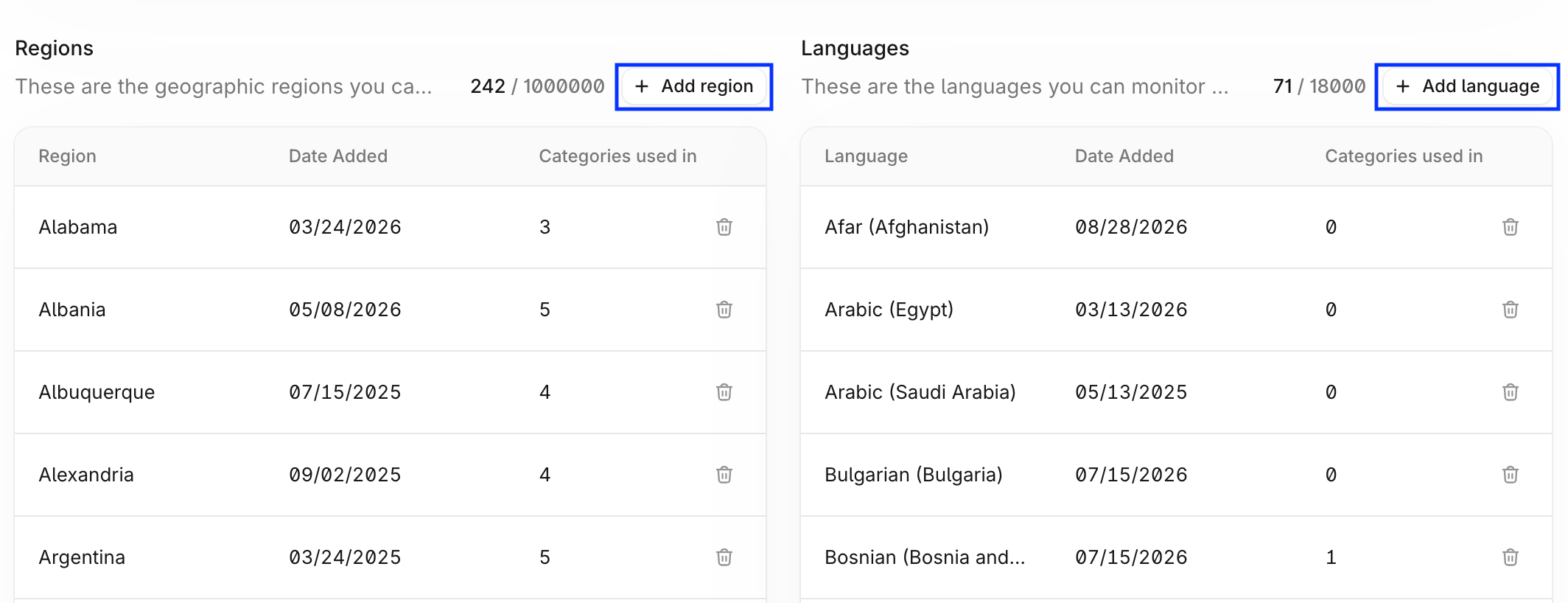
Regions are the geographic areas you monitor your categories in. Languages are the languages your prompts run in. Both work in two ways:- Organization lists: the Regions and Languages tables on the Analytics Setup page list every region and language available to your organization, when each was added, and how many categories use it. The counter shows how many regions you use against your limit.
- Per category: when you create or edit a category, choose its regions and languages from the organization list. Pick the ones relevant to your audience for the best results.